
Home  /  Beamcut

Beamcut: What to Know Before You Buy.

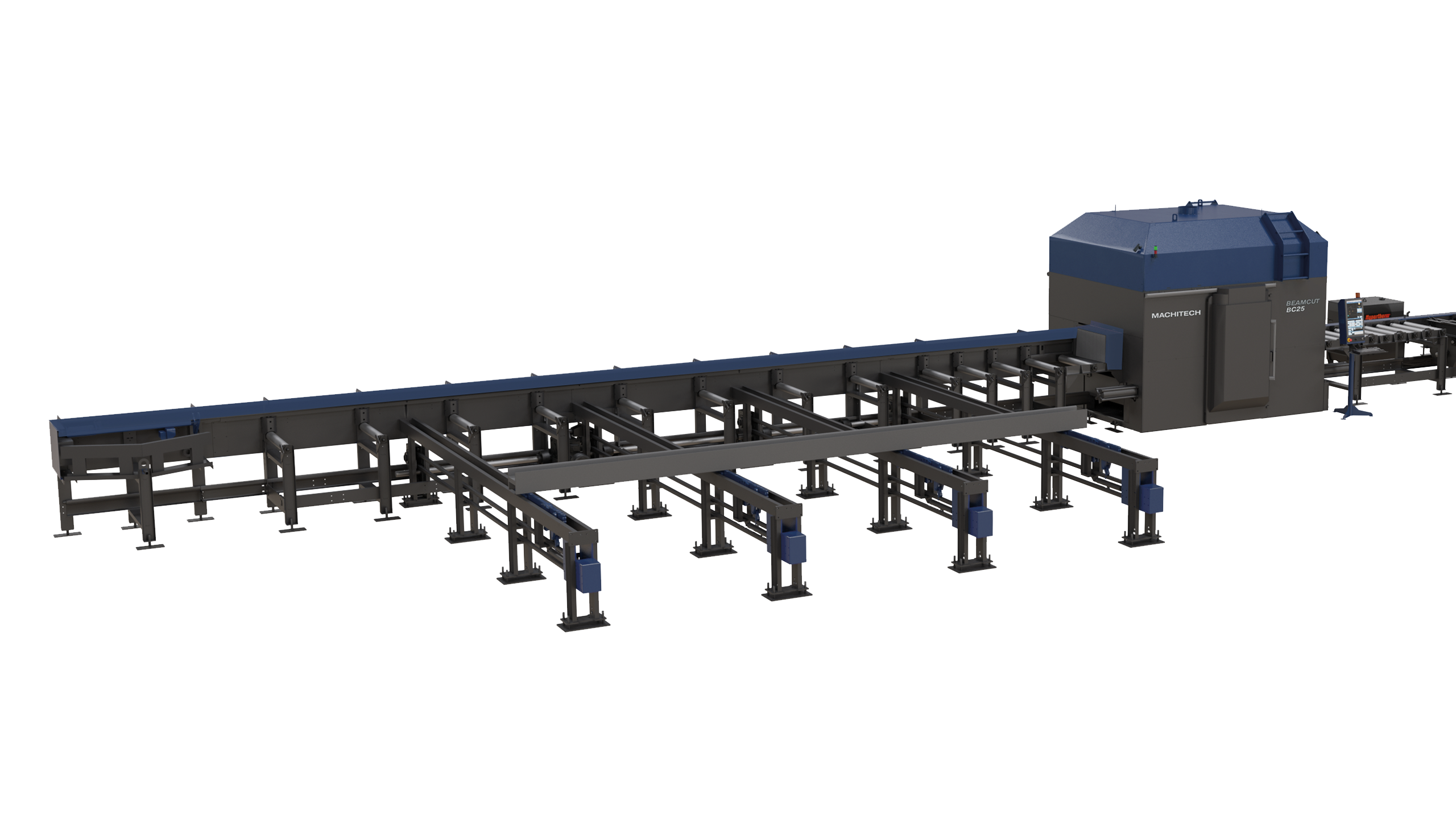
Beamcut is a robotic plasma cutting system built for structural steel fabricators. It automates layout, cutting, beveling, and marking — work that used to require a crew of skilled tradespeople working through manual torching, coping, and hole placement.

The machine was developed by Machitech Automation, one of North America's most experienced cutting-technology manufacturers. Empire carries Beamcut as part of a complete Machitech lineup, which means buyers get access to the full range of automated cutting solutions for any production volume or fabrication need.

This guide is a practical resource for structural steel fabricators evaluating robotic plasma cutting.
 
Download the full guide

8-Min Read
Free PDF Available
Updated by Empire's specialists

NOT SURE WHAT'S RIGHT FOR YOUR SHOP?

Get Expert Guidance First

Buying a machine can be complicated, and there's a lot to consider — production volume, floor space, and budget, among other factors. Empire's Beamcut specialists will talk through all of it with you, so you land on the right choice.

Is a Beamcut Right for Your Shop?

To determine if Beamcut is right for your shop, the clearest signal is this: beam processing has become a production constraint. If cutting is slowing downstream fit-up and welding, the case for automation is strong.


Strong Fit Indicators

  • Volume has reached its ceiling.
    Processing 10–20+ beams per day manually, or 1,500–3,000+ tons of structural steel per year. At that volume, manual torching, coping, and beveling start consuming skilled labour hours at a rate that costs you.
  • Operational strain is visible.
    Cutting crews are working overtime, welders are waiting on prepared material, or quality issues are surfacing from inconsistent cuts.
  • Complex work, not just high volume.
    Shops running high-mix, low-volume work with complex copes, weld-prep bevels, and tight schedules can justify a Beamcut even at lower annual tonnage. The system delivers repeatable output regardless of part variety.


Reasons to Wait

  • Volume is low and cutting isn’t a bottleneck.
    If you’re under ~1,000–1,500 tons per year with minimal coping or hole work, the automation advantage is reduced and payback will be slower.
  • Other bottlenecks exist upstream or downstream.
    If material handling, fit-up, or engineering workflows are inefficient, adding a Beamcut may shift the bottleneck rather than eliminate it.
Complementary Equipment

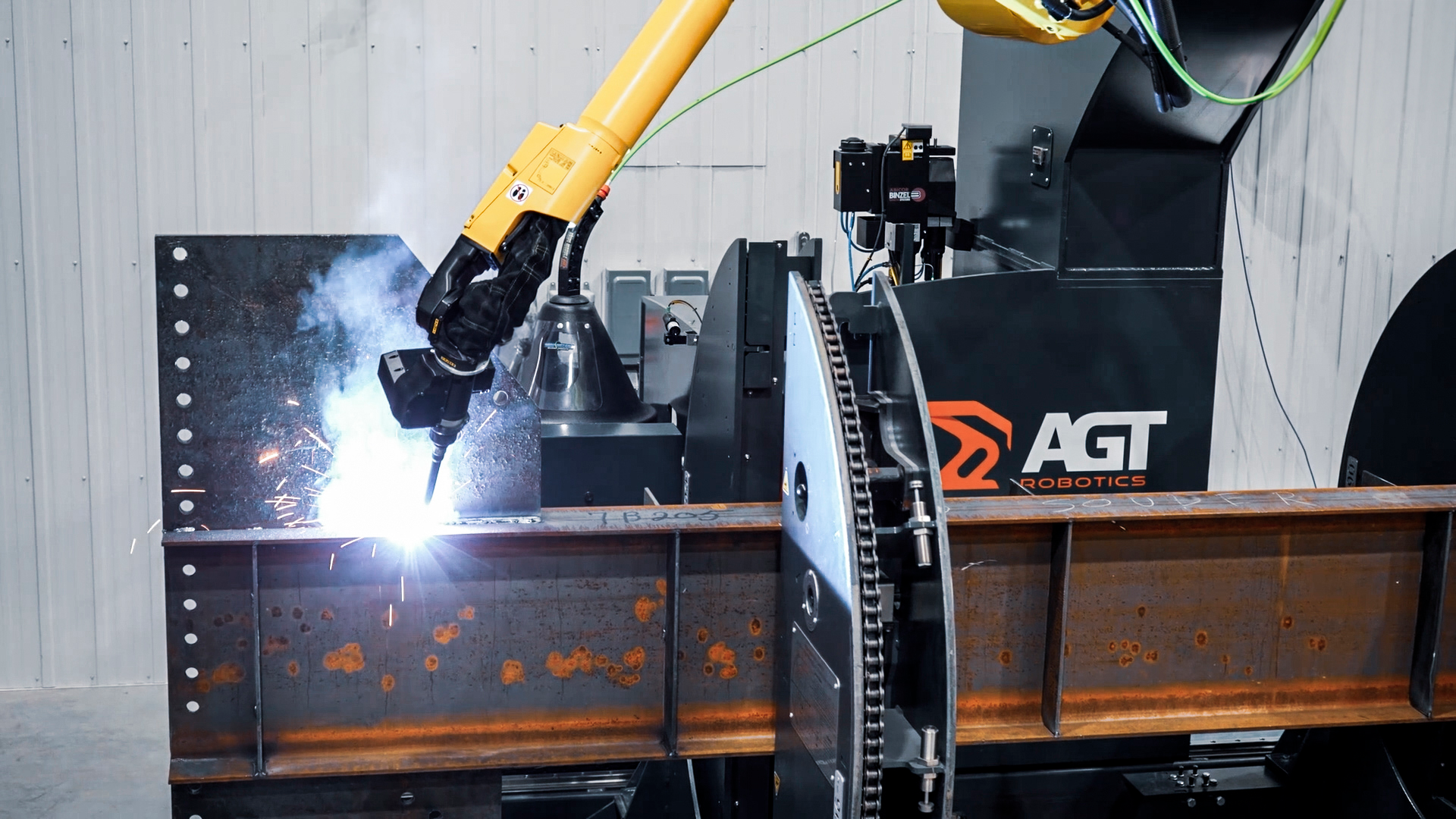
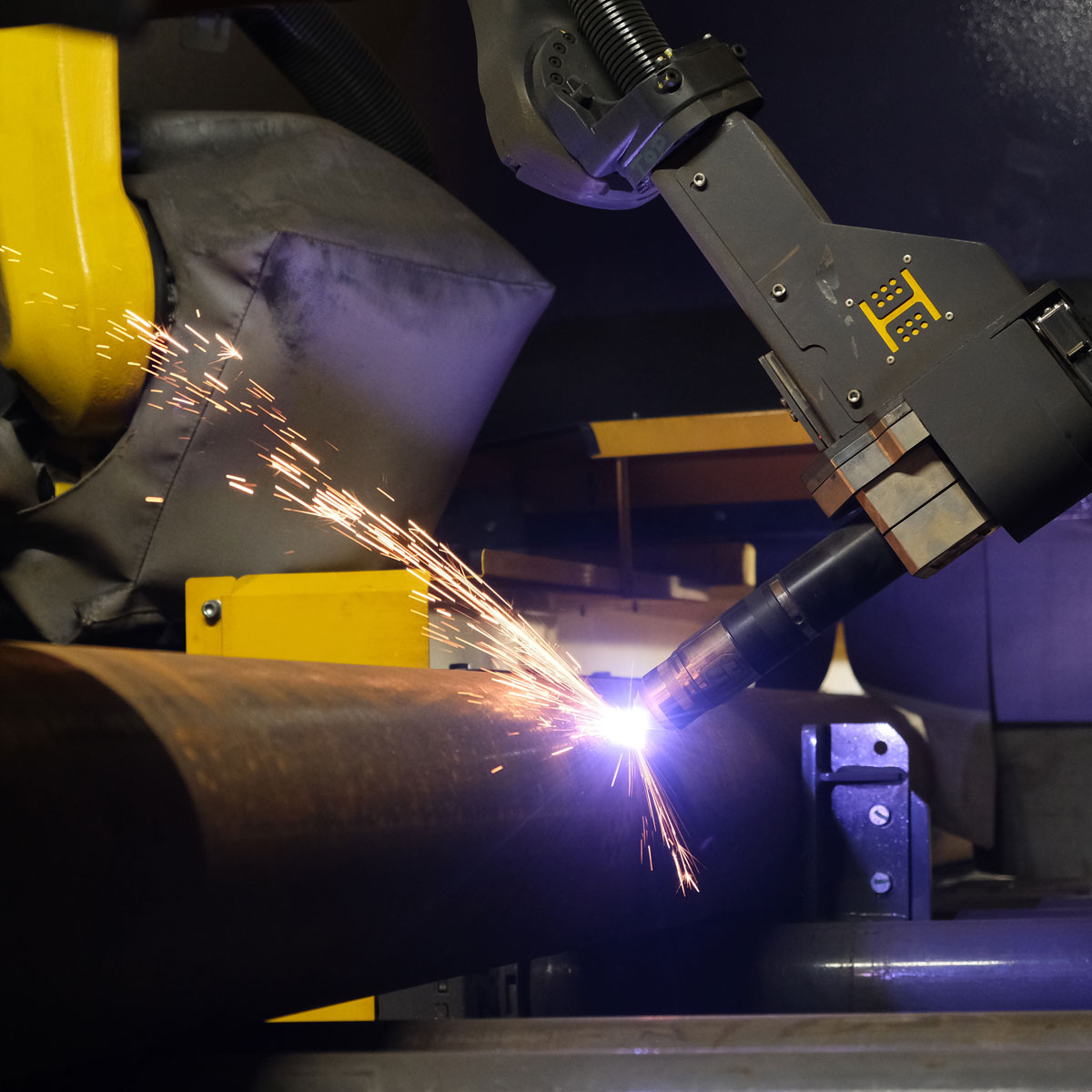
For shops looking to extend automation beyond cutting, the Machitech Beamcut and AGT Robotics BeamMaster work together as an end-to-end structural fabrication workflow. Beamcut handles upstream robotic plasma cutting — copes, slots, holes, weld-prep bevels up to 52°, layout marking — delivering weld-ready parts. Those parts then transfer to the BeamMaster robotic welding cell, where AGT’s Cortex software auto-generates welding programs from CAD files with no manual programming required.

The result is a fabrication workflow that reduces manual handling, improves fit-up consistency, and minimizes reliance on skilled labour from raw beam to fully welded component.

Frequently Asked Questions

How much floor space does a Beamcut require?
Floor space requirements depend on your conveyor configuration. As a reference point, a BC25 with 40’ infeed and 40’ outfeed conveyors with cross transfers occupies approximately 103’-10” in length and 20’-10” in width. Conveyor lengths are fully customizable, so final dimensions will vary. Beamcut also supports three layout configurations — fully indoors, outdoor infeed only, or outdoor infeed and outfeed — which provides additional flexibility for shops with space constraints or material staged outside. Empire can confirm exact requirements based on your shop layout.
Can programming be done away from the machine?
Yes. Beamcut Suite handles all programming and simulation entirely offline. Part files are created, verified, and simulated in the office before anything reaches the machine, including batch processing and full robot motion simulation.
Can Beamcut integrate with my existing detailing software?
Yes. Beamcut operates using standard DSTV, NC1, and 3D CAD file formats — the same formats most structural fabricators are already using in their detailing and engineering workflows. There’s no need to switch software or reformat files before processing.
What does installation involve, and how long does it take to get up and running?
Installation scope depends on your layout configuration — conveyor lengths, whether cross transfers are included, and indoor vs. outdoor infeed/outfeed all affect the timeline and complexity. Empire works with your team in advance to plan the layout and coordinate commissioning, so the install is sequenced around your production schedule as much as possible. Operator and programming training is provided as part of the installation process. Because Beamcut Suite handles all programming offline, staff can begin familiarizing themselves with part file creation before the machine is commissioned — which shortens the ramp from installation to productive output.

Post-Sales Service

Machine quality across this category is high. The more meaningful differentiator is what happens after the sale. When a machine goes down, your shop productivity goes with it. Every hour of unplanned downtime has a direct cost.

Empire has operated a complete in-house service department since 1987, with experienced, factory-trained technicians available for Canada-wide on-site service. Beamcut’s design prioritizes readily available components and is backed by Machitech’s support network, reducing the risk of extended downtime waiting on parts or service technicians.

Questions About Beamcut?

A Beamcut is the kind of investment that reshapes a fabrication workflow. The shops that get the most out of theirs are the ones that planned the floor layout properly, matched the conveyor configuration to how they stage material, and chose a vendor with the service depth to back the machine long after installation.

Still thinking through your specific situation? Browse Empire’s full Machitech cutting lineup or talk to one of our product specialists — they can answer questions and walk through your specific setup.

The Complete Resource

Download the full Beamcut Buyer’s Guide PDF

Download the full Beamcut Buyer’s Guide PDF for the complete deep dive — equipment diagrams, software specs, shop layout configurations, and more.

Download Now        

Questions about what’s right for your shop? Talk to a specialist.

Questions?

Talk to one of our reps—they can answer questions, offer support, and book a personalized tour of our facilities.

Contact a sales rep